
El Paso Drivers Compare Apple CarPlay and Android Auto: Who Wins in 2025?
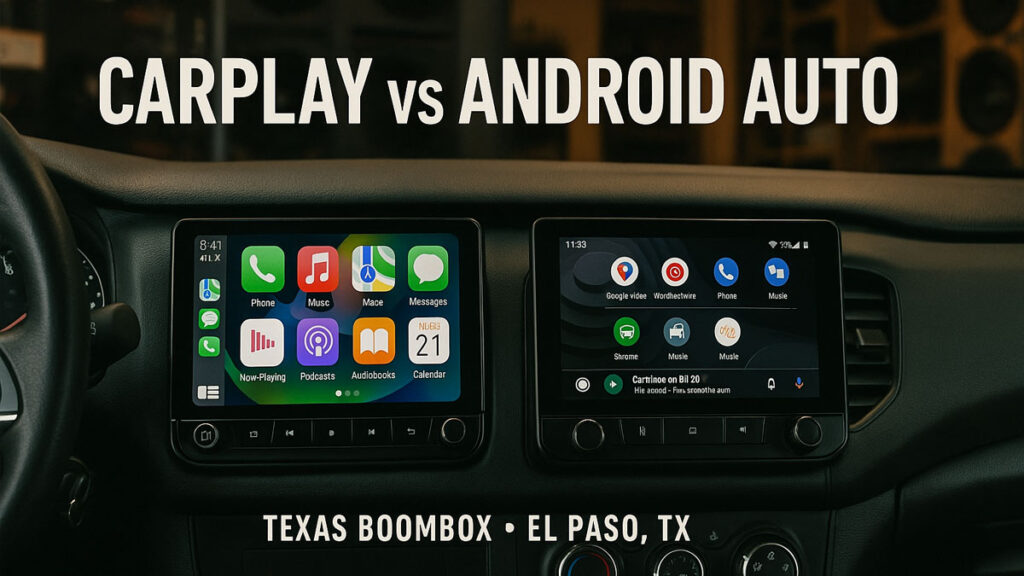
Apple CarPlay vs Android Auto: Which is Best for El Paso Drivers?
When it comes to upgrading your in-car experience, Apple CarPlay vs Android Auto: Which is Best for El Paso Drivers? is one of the hottest debates today. Both systems dominate the connected-car market, but they differ in interface, customization, voice assistants, and app availability. For El Paso drivers battling I-10 traffic, taking long road trips, or just wanting hands-free convenience, knowing the differences helps you make the right call.
In this article, we’ll break down the pros and cons of Apple CarPlay and Android Auto with El Paso driving conditions in mind—so you can decide which tech fits your lifestyle best.
Comparison Table: Apple CarPlay vs Android Auto
| Feature | Apple CarPlay | Android Auto |
|---|---|---|
| Interface | Simple, intuitive, minimal customization | Highly customizable, split-screen options |
| Voice Assistant | Siri integration | Google Assistant (generally stronger AI) |
| App Support | Limited third-party apps, strong Apple ecosystem | Wider third-party support, multiple navigation/music apps |
| Navigation | Apple Maps, Google Maps, Waze (limited options) | Google Maps, Waze, more flexibility |
| Customization | Rearrange icons, wallpapers | Full UI personalization, widgets |
| Best Fit For | iPhone users who want simplicity | Android users who want versatility |
Interface and Customization
Apple CarPlay
CarPlay is known for its clean, minimalistic design. The grid layout is simple and distraction-free. You can rearrange apps, change wallpapers, and enjoy a consistent experience across any compatible vehicle. However, customization options are limited compared to Android Auto.
Android Auto
Android Auto offers greater personalization. From custom wallpapers to split-screen multitasking, it gives drivers control over their setup. For El Paso drivers who like multitasking—say, keeping Google Maps open while controlling Spotify—this flexibility is a big win.
App Availability and Functionality
CarPlay
CarPlay integrates seamlessly with Apple apps like Apple Music, Maps, Podcasts, and Messages. While it supports some third-party apps, Apple’s restrictions keep the selection limited. If you’re locked into the Apple ecosystem, this is perfect—but if you want variety, you may feel restricted.
Android Auto
Android Auto embraces a wide range of apps, from navigation (Google Maps, Waze) to music (Spotify, YouTube Music, Pandora). It even supports third-party messaging and calling apps. This flexibility is why many El Paso commuters prefer Android Auto during long drives.
Voice Assistants: Siri vs Google Assistant
Siri on CarPlay: Works well for sending messages, making calls, and navigating via Apple Maps. But Siri still lags behind Google in terms of natural conversation and context recognition.
Google Assistant on Android Auto: Recognized as smarter and more accurate. Whether asking for the fastest route across El Paso or the nearest taco spot, it usually delivers faster and more relevant results.
Navigation in El Paso
CarPlay Navigation
Apple Maps has improved, but it’s not always as detailed for local streets. CarPlay does allow Google Maps and Waze, which helps El Paso drivers navigate traffic bottlenecks near Downtown or roadwork along I-10.
Android Auto Navigation
Google Maps is the default, and that’s a huge advantage. It updates in real-time, offering detours and even showing border crossing times. For drivers frequently moving between El Paso and Juárez, Android Auto often feels more reliable.
Connectivity and Hardware Compatibility
CarPlay: Works only with iPhones. Wireless CarPlay is becoming more common, but older cars may need a wired connection.
Android Auto: Works with Android phones, usually via USB, though wireless options are available in newer vehicles. It’s often supported in a wider range of aftermarket stereos, like those sold at Texas Boombox.
Driving in El Paso: Real-Life Scenarios
Heavy I-10 Traffic: Android Auto’s split-screen feature lets you keep music controls up while following directions.
Long Road Trips: CarPlay’s clean interface reduces distraction, ideal for long desert drives toward Las Cruces or Tucson.
Border Crossings: Google Maps on Android Auto usually provides more real-time updates about wait times at the bridges.
Expert Insights
According to Texas Boombox Factory in El Paso, many customers upgrading their stereos ask for head units with both CarPlay and Android Auto. That way, no matter what phone you use, your car is ready. It also adds resale value to your vehicle.
Apple CarPlay vs. Android Auto in 2025
| Category | Apple CarPlay | Android Auto |
|---|---|---|
| Year Launched | 2014 | 2015 |
| Best Feature | Seamless Apple integration | Customization + Google Maps |
| Weakness | Fewer third-party apps | Can lag on older phones |
| Best For | Loyal iPhone users | Power users & Android fans |
| Reference | Apple CarPlay Official | Android Auto Official |
FAQs: Apple CarPlay vs Android Auto (El Paso Drivers)
1) Is Apple CarPlay or Android Auto better for El Paso traffic?
Android Auto usually gives faster, more detailed reroutes on I-10 and Border Highway. CarPlay is simpler and distraction-free.
2) Which works best if I cross into Juárez?
Android Auto with Google Maps typically provides timelier border-crossing info and detours.
3) Can my older car get CarPlay or Android Auto?
Yes. We install head units that add both to most vehicles.
4) Do I need wireless, or is wired fine?
Wireless is convenient. Wired is cheaper and more stable in older cars.
5) Which voice assistant is better behind the wheel?
Google Assistant (Android Auto) is usually more accurate. Siri (CarPlay) is great if you’re all-Apple.
6) Can one stereo support both?
Most modern aftermarket stereos we sell support both CarPlay and Android Auto.
7) Which has more apps?
Android Auto supports more third-party apps. CarPlay integrates best with Apple’s apps.
8) Will this void my warranty?
No—when professionally installed, it won’t void your vehicle warranty.
9) How long does installation take at Texas Boombox?
Typically 1.5–3 hours depending on the vehicle and features.
10) Do I need extra microphones or adapters?
We include needed adapters; we mount an external mic for clear calls.
11) Will my steering-wheel controls still work?
Yes. We retain them with the correct interface module.
12) Which maps app is best here?
Google Maps and Waze are great for live traffic. Apple Maps continues to improve.
13) Can I keep my factory camera and sensors?
In most cases, yes. We integrate them into the new head unit.
14) What if I switch phones later?
If your stereo supports both platforms, you’re covered.
15) What’s the best budget option?
A wired CarPlay/Android Auto head unit is the most cost-effective upgrade.
16) Do you offer financing and warranty?
Yes—ask our showroom for current financing and product warranties.
17) Will sound quality improve too?
Yes. A modern head unit often improves DAC quality and tuning options.
18) Can you tune EQ for my cabin?
Absolutely. We calibrate time alignment and EQ for your vehicle.

